
Creating more pages can be a smart SEO strategy. Location pages, service pages, product pages, resource articles, and other targeted content can give your website more opportunities to show up when potential customers search. It’s a common part of search engine optimization, especially for businesses trying to reach multiple services, locations, or audiences.
But there’s an important step that can get overlooked: Google actually has to index those pages.
We’ve run into this situation a few times recently. A new client comes to us after investing in SEO for a while, and they may already have dozens, hundreds, or sometimes far more pages created specifically for search. Then we set up Google Search Console, take a look under the hood, and discover that a large portion of those pages aren’t indexed.
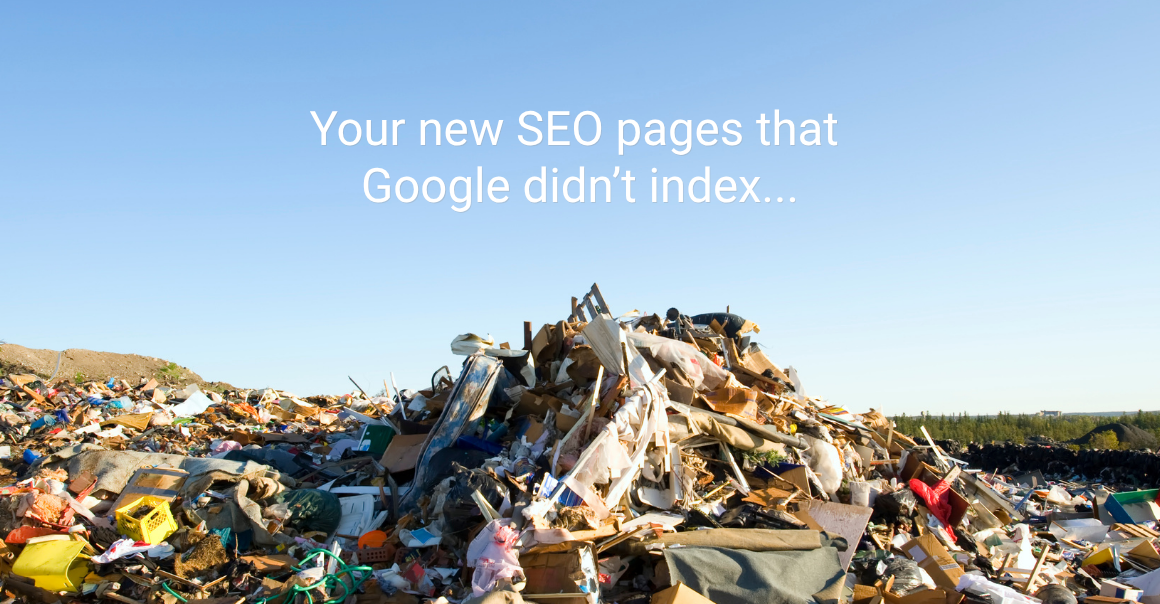
The pages exist. They may even have been optimized around specific keywords. But Google hasn’t added them to its search index. And if a page isn’t indexed, it has very little chance of helping your SEO or contributing to the rest of your digital marketing efforts. That’s why creating more pages isn’t always the answer.
What Does “Indexed” Actually Mean?
It helps to think about Google Search in a few basic steps.
- First, Google discovers a page.
- Then Google may crawl the page, which basically means Googlebot visits it and reviews the content.
- After that, Google decides whether the page should be indexed, meaning it’s added to Google’s database of pages that may appear in search results.
Indexed doesn’t automatically mean ranked. A page can be indexed and never reach page one. Search engine optimization still involves creating useful content, targeting the right searches, and giving Google reasons to rank your page ahead of other options. But if the page isn’t indexed at all, it generally isn’t in the running.
This Is Where Google Search Console Comes In
If you’re responsible for digital marketing and haven’t spent much time in Google Search Console, it’s worth getting familiar with it. One of the most useful areas is the Page Indexing report. It shows which URLs are indexed, which aren’t, and why.
Not every URL on a website needs to appear in Google. Redirects, duplicates, and other technical pages may be excluded intentionally. What matters is whether the pages you’ve created to attract organic traffic are getting indexed. If you’ve spent months creating 200 SEO location pages, for example, you probably want to know whether Google is actually including them in search.
What Do Those Search Console Messages Mean?
Search Console can look a little intimidating at first, but most indexing messages fall into a few common categories.
Crawled – Currently Not Indexed
Google found the page and visited it, but decided not to add it to the index right now.
If you’re seeing this across a large group of SEO pages, take a closer look at the content. Are the pages useful and unique, or are they mostly variations of the same thing? Changing the city name on the same basic page 150 times may technically give you 150 URLs, but Google may not see 150 useful pages.
Discovered – Currently Not Indexed
Google knows the page exists but hasn’t crawled it yet.
Check that the page is in your XML sitemap, has internal links pointing to it and isn’t buried too deeply within the website. If you’ve added hundreds or thousands of pages at once, it may also take Google some time to work through them.
Duplicate or Canonical Issues
Google thinks one page is too similar to another and has chosen a different version to include in search.
Sometimes that’s perfectly normal. But if you intended those pages to target different searches, it may be a sign that they need more unique content.
Noindex, Robots.txt, or Redirects
These tend to have more straightforward explanations. A noindex tag tells Google not to index the page. A robots.txt rule may prevent Google from crawling it. A redirect sends Google somewhere else.
None of these are automatically a problem, but they’re worth checking if they appear on an important service page, location page, blog article or other page you’re counting on for SEO.
Use URL Inspection When Something Doesn’t Look Right
When we find an important page that should be indexed but isn’t, one of our next stops is Search Console’s URL Inspection tool.
Enter the exact URL, and Search Console can provide more information about how Google is treating the page. After fixing an issue or making meaningful improvements, you can also request indexing.
Just don’t fall into the trap of repeatedly clicking “Request Indexing” and assuming that’s an SEO strategy. If Google keeps crawling a page and choosing not to index it, the better question is: Why doesn’t Google think this page belongs in its index?
There may be a technical issue. The content may be too similar to other pages. The page may need stronger internal links. Or the content itself may need improvement. Finding that answer is much more useful than continuing to create more pages with the same problem.
Before You Build More Pages, Check the Pages You Already Have
This is the bigger takeaway. SEO isn’t a contest to see who can publish the most URLs. A good search engine optimization strategy should focus on whether those pages are actually helping the business.
Before investing the time or budget to create another 100, 500 or 1,000 pages, spend some time in Search Console.
Ask a few questions:
- How many of your important pages are indexed?
- Which types of pages aren’t?
- Are you seeing the same issue across an entire section of the site?
- Are pages being treated as duplicates?
- Are the pages that are indexed generating impressions and clicks?
Those answers can tell you a lot more than the total number of pages you’ve published.
Sometimes the issue is technical. Sometimes Google needs more time. And sometimes the SEO content itself needs another look. Whatever the cause, it’s better to figure that out before creating hundreds more pages with the same problem.
Search engine optimization works best when it’s part of a larger digital marketing strategy, not a race to publish as much content as possible.
If you’re investing in SEO and aren’t sure how much of your website Google is actually seeing, Google Search Console is a good place to start.
And if Search Console looks more like a collection of cryptic messages than a useful tool, our team can help you understand what you’re seeing, identify potential SEO issues and figure out where your efforts should go next. Let’s talk!